How to Make Money With an App: 5 Ways, Store Fees and What to Charge
Subscriptions, one-time purchases, ads, paid downloads and selling services: how each way of making money with an app works, what Apple and Google take, and how to set it up.
You make money with an app in five main ways: subscriptions, one-time purchases inside the app, ads, charging for the download, or using the app to sell a real-world product or service. Which one fits depends on what your app does: something people use every week suits a subscription, a single unlock suits a one-time purchase, and a booking or ordering app earns through what it sells. Apple and Google keep a commission on purchases made through their stores, usually 15% for small developers.
Key facts
- Apple: developers in the App Store Small Business Program pay a 15% commission on paid apps and in-app purchases (Apple). For auto-renewing subscriptions, you receive 70% in a subscriber's first year and 85% after a year of paid service (Apple).
- Google Play: in most countries the service fee is 15% on your first $1M a year and 15% on subscriptions. Since June 30, 2026 in the US, UK and EEA (September 30, 2026 in Australia and Japan), Google charges a separate service fee and billing fee instead: 10% plus a 5% billing fee on the first $1M and on subscriptions when you use Google Play's billing, so still about 15% for most small developers (Google).
- Digital vs physical: features or content unlocked inside the app must use Apple's in-app purchase (Guideline 3.1.1). Physical goods and services used outside the app must use other payment methods (Guideline 3.1.3(e)).
- RevenueCat, a service that checks in-app purchases, is free up to $2,500 in monthly tracked revenue, then 1% (RevenueCat).
- Do not give unlimited free AI use. Offer a few free uses, then a subscription or a pack of coins.
- Price above your cost. Check your provider's price per request, estimate how many requests an active user makes in a month, and leave room for the store's commission.
- Set a spending limit in your provider's dashboard.
- Ask people to log in before using the AI, so strangers cannot run up your bill.
- A workout program app with weekly plans: subscription.
- An AI study helper with a few free summaries a day: subscription or coins.
- A puzzle game with extra level packs: one-time purchases.
- A recipe app with premium meal plans: subscription.
- A barbershop or salon booking app that takes deposits: Stripe payment links.
- A home bakery pre-order app: Stripe payment links for each product.
- A coaching app with in-person sessions and a digital program: Stripe for the sessions, in-app purchase for the program.
- A language flashcard app with a pro version: one-time purchase.
- App Store Small Business Program
- Apple: auto-renewable subscriptions
- Apple App Review Guidelines, section 3.1
- Google Play service fees
- RevenueCat pricing
- Stripe pricing
- Google AdMob
- Snapp pricing
What are the ways to make money with an app?
| Model | How it works | Fits apps like | Store commission? |
|---|---|---|---|
| Subscription | Users pay monthly or yearly for premium | Fitness programs, study tools, journals | Yes |
| One-time purchase | Users pay once to unlock something, or buy coins | Games, a pro version, extra templates | Yes |
| Ads | The app is free and shows ads | Games, utilities with many daily users | No, the ad network pays you |
| Paid app | Users pay before they download | Niche tools with a clear promise | Yes |
| Selling services or goods | The app takes bookings, orders or deposits | Salons, coaches, bakeries, shops | No, you pay the payment provider's fee |
Subscriptions
A subscription works when people get new value every week: new workouts, fresh lessons, saved progress they rely on. Offer a monthly and a yearly plan, and give a reason to subscribe that free users can see. Apple's commission on a subscription drops after the subscriber's first year of paid service.
One-time purchases
A one-time purchase unlocks something forever: an ad-free version, a full set of levels, a pack of coins. It suits games and tools people use in bursts.
Ads
Ads pay per view or click through an ad network such as Google AdMob. You need many daily users to earn meaningful money, and ads make an app less pleasant to use. If ads are your plan, read the network's policies before you build.
Paid apps
Charging before download is the hardest sell, because people cannot try the app first. It works best for a tool with a very clear promise and good reviews.
Selling services and physical goods
If you already sell something real (haircuts, classes, coaching sessions, cakes), the app is your shop window and booking desk. Payments go through a provider like Stripe, and the stores take no commission because the service happens outside the app.
How do you make money with an AI app?
AI features cost you money each time someone uses them, because your AI provider charges per request. So:
For apps published to the stores, requests that use your secret keys through Snapp Vault have a daily allowance per app: Free 100, Starter 1,000, Popular 5,000 and Pro 25,000 requests a day. More: create an AI app without coding.
App ideas to make money
These are example ideas with the model that fits each:
What Snapp supports today
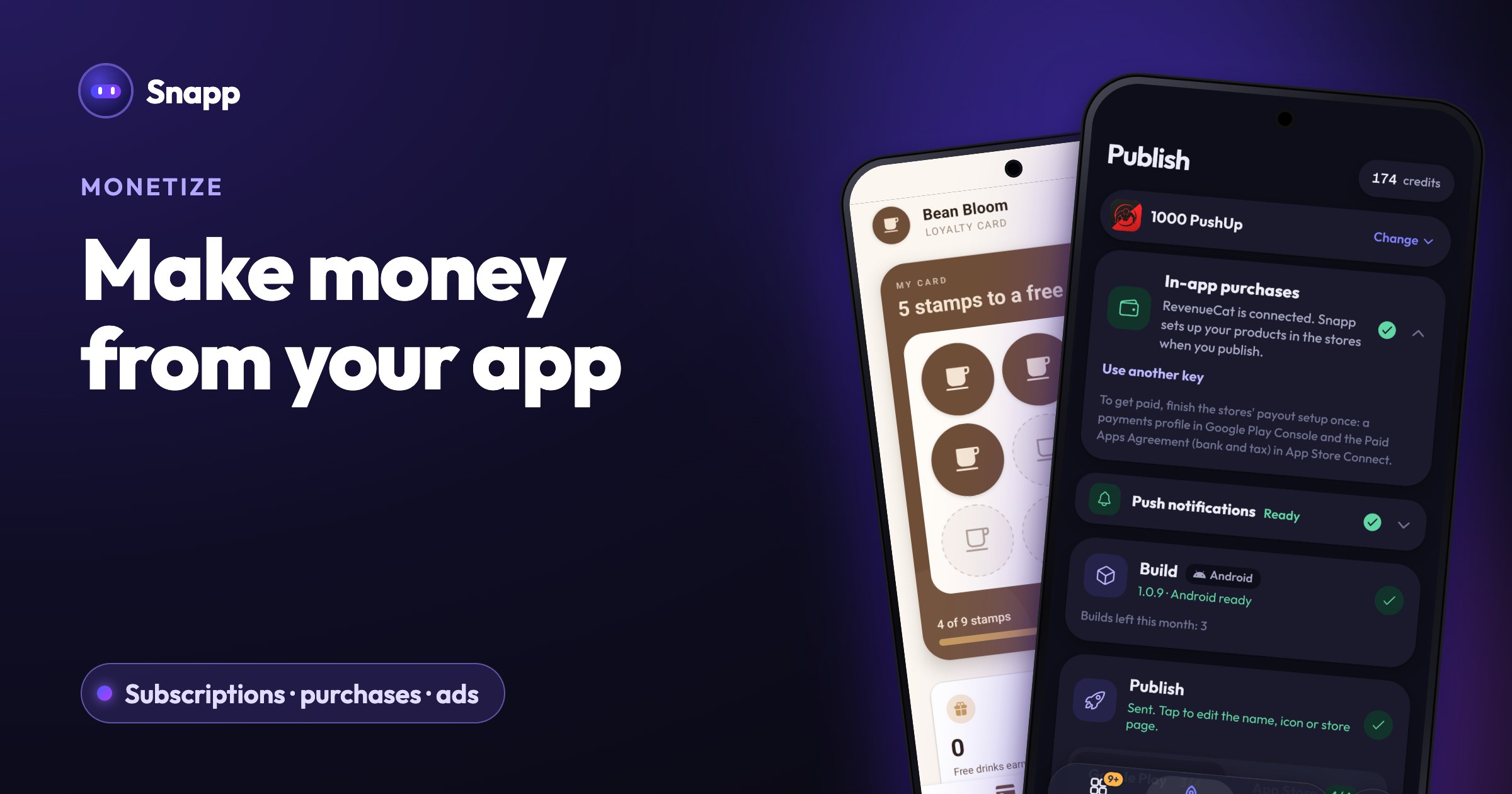
In-app purchases and subscriptions. Tap Add in-app subscriptions in the chat, or ask for a premium subscription, coins or a one-time unlock. Snapp adds the purchase screen, and you can try it in the preview with test purchases (nothing is charged). Before you publish, connect a free RevenueCat account in the In-app purchases card on the Publish screen. When you publish, Snapp creates the products in Google Play and the App Store for you. The money goes straight to your own developer account. To get paid, finish the stores' payout setup once: a payments profile in Google Play Console and the Paid Apps Agreement (bank and tax) in App Store Connect.
Stripe payment links. For physical goods and real-world services, create a Payment Link in your Stripe Dashboard, add it in your app's keys screen with Add Stripe Payment Link and ask Snapp for a checkout button. Buyers pay on Stripe's page, so card details never touch your app, and the money goes to your Stripe account. Snapp does not take a cut of your sales. Guide: accept payments with Stripe. Not sure which to use? See Stripe vs in-app purchases.
Getting it in front of buyers. Snapp publishes your app to Google Play and the App Store under your own developer accounts (Starter plan, $24.99 a month in the US as of October 2026, and up). Guide: publish to the App Store and Google Play.
How to start making money with your app, step by step
1. Pick the model from the table above that matches how people will use your app.
2. Decide what is free and what is paid. Free users should see enough value to want more.
3. Add the payment with Add in-app subscriptions or Add Payment (Stripe), and test it in the preview.
4. Set up payouts in Google Play Console and App Store Connect, or in Stripe.
5. Publish, then watch which screen people leave on and what they ask for. Adjust the price or the free limit after real feedback, not before.
Frequently asked questions
How much do Apple and Google take from my app's sales? For most small developers, about 15% on in-app purchases and subscriptions. Apple's standard rate, for developers outside its Small Business Program, is 30%, falling to 15% on a subscription after the subscriber's first year of paid service. Google's fees now differ by country, so check its fee page.
Can I use Stripe instead of in-app purchases to avoid the fee? Only for physical goods and real-world services. For digital features unlocked inside a mobile app, Apple and Google require their own in-app purchases, and an app that uses a Stripe link for these can be rejected.
Can a free app make money? Yes. A free download can still earn through subscriptions, in-app purchases, ads or the service it sells. Free apps are also easier to try, which helps people reach the point where paying makes sense.
How much can I earn from an app? There is no typical number. It depends on how many people use the app, how often, and how well your paid offer matches what they want. Start small, test a price and learn from real users.
Sources
Last updated: October 2026.
Snapp Team
Articles and content from the SNAPP team