How to Create an AI App Without Coding (Chatbot, Images, Voice, Summaries)
Pick one AI feature, get a key from an AI provider, keep that key out of your app and describe the rest in plain words. Here is how, what it costs and the EU rule to follow.
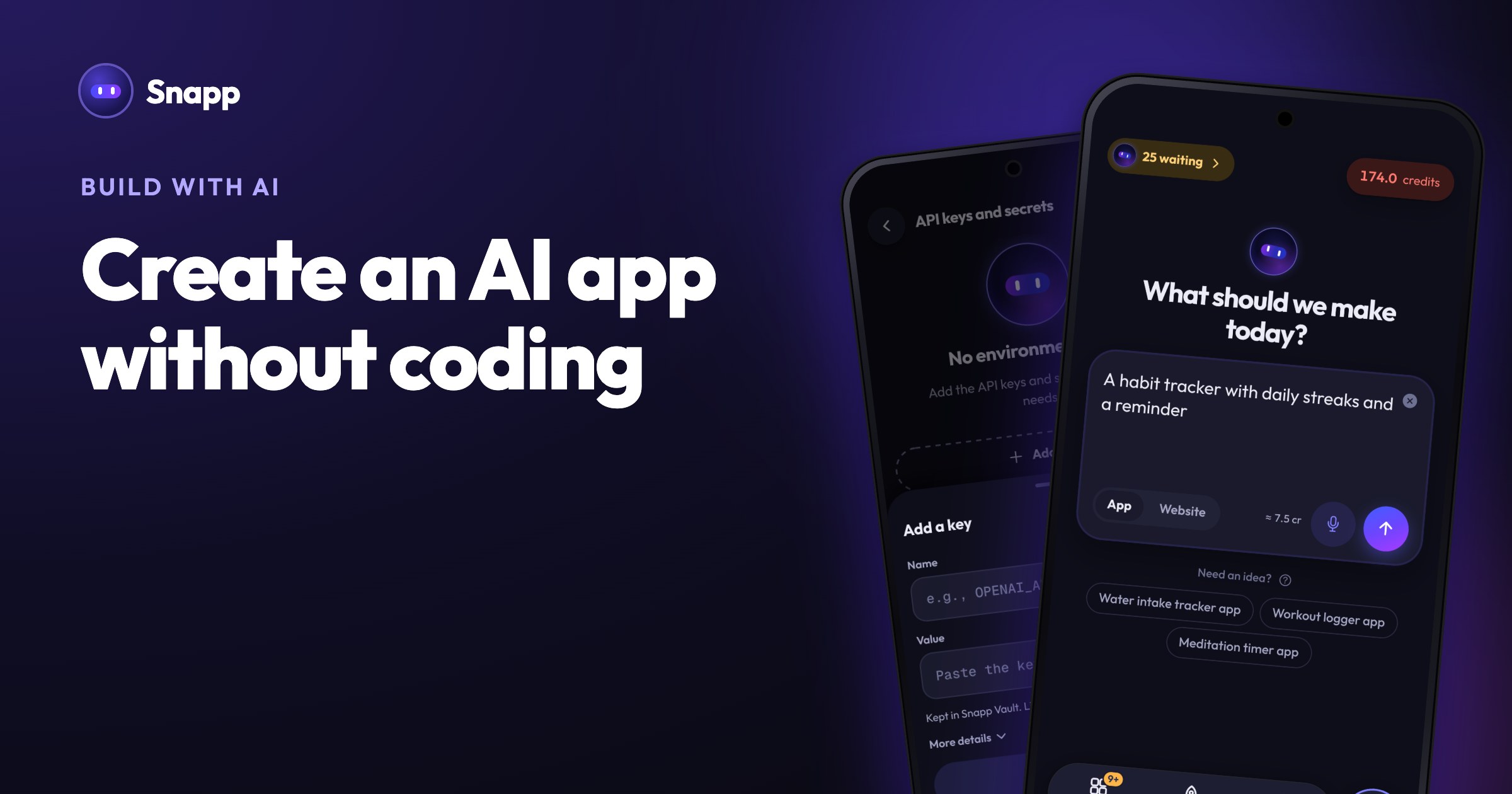
To create an AI app without coding, pick one AI feature (a chatbot, an image tool, a voice feature or summaries), get an API key from an AI provider, and describe the app in plain words to an AI app builder that keeps that key out of your app. The provider bills you each time your app uses the AI, so set a spending limit before anyone else tries it. This guide covers each step, the real costs and the EU rule for AI chat features.
In short
- Most AI apps send requests to an AI provider through an API (application programming interface: a way for one program to ask another service to do work). You pay the provider per use. OpenAI, for example, prices text models per 1 million tokens, transcription per minute and text-to-speech per 1 million characters (OpenAI pricing).
- The API key is a password for your provider account. It must not ship inside your app, where anyone who downloads the app can dig it out.
- Since August 2, 2026, the EU AI Act requires AI systems that talk with people to tell them they are dealing with an AI, unless that is obvious (AI Act, Article 50).
- Google Play requires apps that generate content with AI to let users report offensive content without leaving the app (Google Play AI-Generated Content policy).
- Free plan: new accounts get 15 credits, and on up to 5 days a month Snapp tops your balance back up to 7.5 credits when you open it. You can build and preview on your phone.
- Starter: $24.99 a month for 150 credits and 3 store builds. Publishing to Google Play and the App Store needs Starter or higher.
- A new app takes about 7.5 credits and a change about 3 credits.
- Use a smaller model for simple jobs like summaries.
- Limit how long answers can be.
- Ask people to log in before they can use the AI, so strangers cannot flood it.
- Watch your provider's usage page in the first week.
- OpenAI API pricing
- EU AI Act, Regulation (EU) 2024/1689, on EUR-Lex
- EU AI Act Article 50 text
- Google Play AI-Generated Content policy
- Google Play developer registration fee
- Apple Developer Program: how it works
- Snapp pricing
What kinds of AI features can an app have?
When people search "how to use AI in an app", they usually mean one of five things:
| AI feature | What it does | Example app idea |
|---|---|---|
| Chatbot or assistant | Answers questions in a conversation | A study helper that explains a topic, then quizzes you |
| Summaries and rewriting | Shortens, rewrites or translates text | A notes app that turns long notes into five bullet points |
| Image generation | Makes a picture from a description | A sticker maker or a room makeover idea board |
| Image understanding | Looks at a photo and describes it | A plant identifier or a receipt reader |
| Voice | Turns speech into text, or reads text aloud | A voice journal or a pronunciation coach |
What do you need before you start?
1. An idea with one clear AI job. "Summarize my notes" is clear. "An AI that does everything" is not.
2. An account and an API key from an AI provider. OpenAI keys are created at platform.openai.com/api-keys and Anthropic keys at console.anthropic.com. Other providers work the same way.
3. A spending limit in your provider's dashboard. It is the simplest safety net against a surprise bill.
4. A database, if the app should remember things. Chat history, saved images and user accounts need somewhere to live. In Snapp that is your own Supabase project (how to connect it).
Why must the API key stay out of your app?
Anything inside an app can be read by someone who downloads it and takes it apart. If your key is in there, a stranger can copy it and run up charges on your account.
The usual fix is a server that sits between your app and the AI provider and adds the key there. In Snapp this is handled by Snapp Vault: your secret keys are stored encrypted on Snapp's servers and never go inside your app. When your app needs the AI, Snapp adds the key on its side, so people who download your app or visit your site cannot see it. There is nothing to set up.
How to add AI to your app in Snapp, step by step
1. Describe the app. Open Snapp and type your idea in plain words, for example: "A study helper app. Students paste their notes, get a five bullet summary, then a five question quiz on it. Use my OpenAI key."
2. Add your key. In the Snapp app, open your app's settings (the gear at the top of the chat) and tap Environment, then Add a key. On the web, click Keys and secrets. Name it OPENAI_API_KEY (or CLAUDE_API_KEY for Anthropic) and paste the value. If Snapp's reply shows an Add OPENAI_API_KEY button, tap it and the name is filled in for you. Full guide: How to add API keys.
3. Ask for the feature in one message. For example: "Use my OpenAI key to summarize the user's notes." One change per message works better than a long list (prompt tips).
4. Try it on your phone. In the Snapp app your app runs right there. In the web editor, scan the QR code with your phone.
5. Add the AI label and a report button. Ask: "Add a line under the chat that says answers are written by AI, and a Report button on each answer." This one change helps with both the EU disclosure rule and Google Play's reporting rule below.
6. Save data if you need it. Tap Add Database to connect Supabase, then Add User Login if each person should see only their own history.
How much does an AI app cost to run?
There are two separate bills, and it helps to keep them apart.
Building the app in Snapp (US prices, as of October 2026, from Snapp pricing):
Using the AI (paid to your provider, not to Snapp): you pay per request. As of October 2026, OpenAI lists its smallest text model, gpt-5-nano, at $0.05 per 1 million input tokens and $0.40 per 1 million output tokens, with larger models costing more (OpenAI pricing). Images and voice are priced differently, so check the provider's page for the feature you use.
Requests through Snapp Vault for apps published to the stores have a daily allowance per app: Free 100, Starter 1,000, Popular 5,000 and Pro 25,000 requests a day. If an app goes over, those requests pause until midnight (UTC) or until you move to a higher plan. While you build and preview, Vault is included on every plan.
Ways to keep the AI bill small:
Do you have to tell users they are talking to an AI?
In the EU, yes. Article 50 of the EU AI Act says AI systems meant to interact directly with people must be designed so that people are told they are interacting with an AI system, unless that is obvious from the context. These transparency rules apply from August 2, 2026. A short, visible line such as "Answers are written by AI" next to the chat is the simple way to do it. This is general information, not legal advice.
If you publish on Google Play, add the in-app report button too: Google's policy asks apps that generate content with AI to let users report or flag offensive content without leaving the app.
Where Snapp fits
Snapp builds the app from your description, keeps your AI key out of the app with Snapp Vault, lets you try it on your phone while you build and publishes it to Google Play and the App Store under your own developer accounts (Starter plan and up). Google charges a one-time $25 fee for a developer account (Google Play Console Help) and Apple $99 a year (Apple Developer). You choose the AI provider and pay it directly.
Try your first AI feature for free at snappai.co.
Frequently asked questions
Can I make an AI app for free? You can build and test one on Snapp's free plan. Your AI provider may charge for use, often from the first request, so check its pricing and set a limit. Publishing to the stores needs a paid Snapp plan and a developer account.
Which AI provider should I use? Any provider with an API and a key will do. Pick by feature (text, image or speech) and start with the cheapest model that gives good enough answers.
Is my API key safe in a Snapp app? Secret keys stay in Snapp Vault and do not go inside your app. Keys meant to be public, like a Supabase project URL, stay in the app as intended. Still set a spending limit with your provider.
Sources
Last updated: October 2026.
Snapp Team
Articles and content from the SNAPP team