Can you turn a website into an app? Three ways, and when a real app is better
You can turn a website into an app in three ways: make it installable as a PWA, wrap it in a store app, or build a real app. What each one gets you, and what Apple and Google allow.
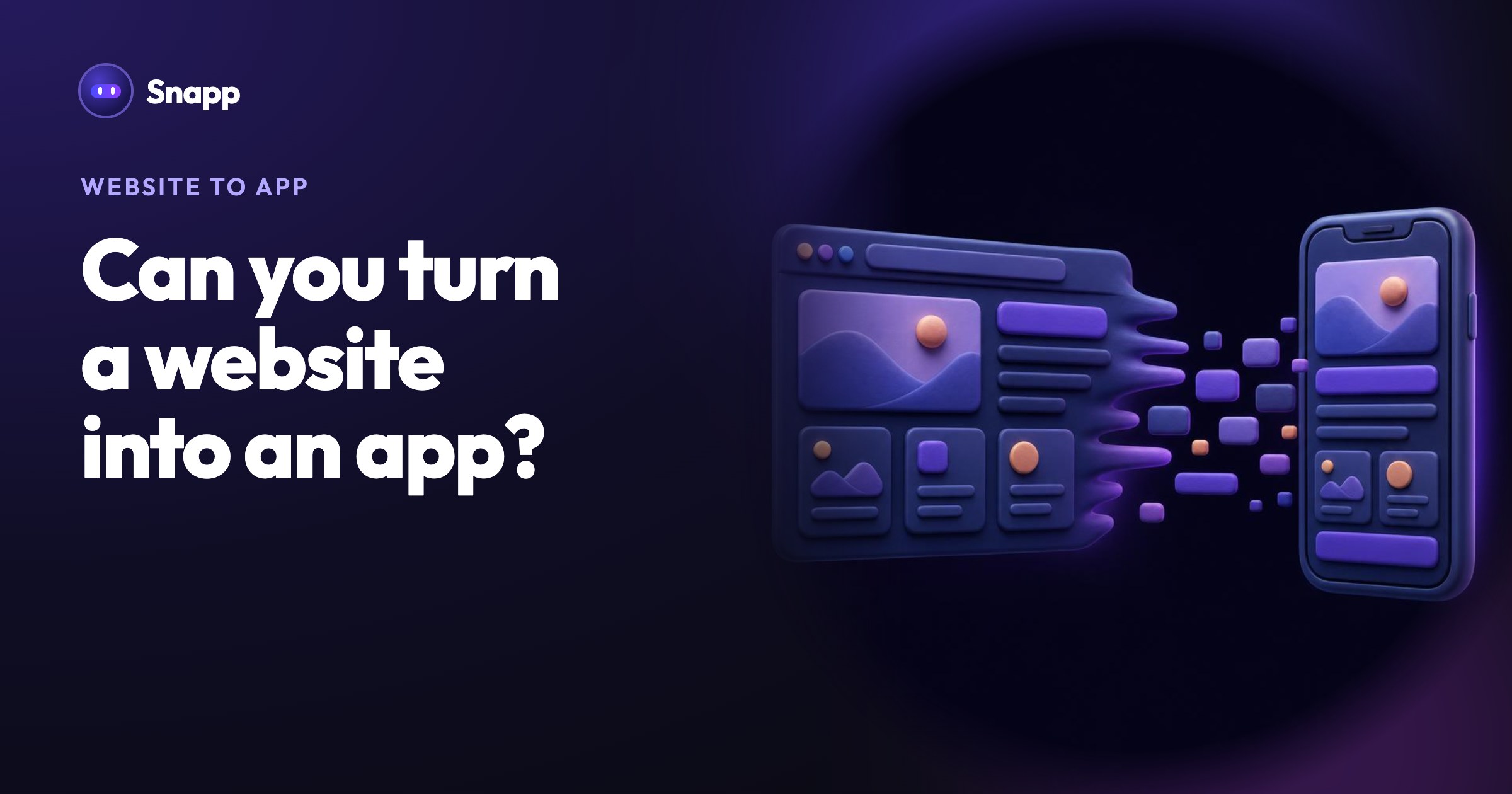
Yes, you can turn a website into an app, in three ways: make the website installable as a PWA, wrap it inside a store app, or build a real app around what your website does. With an AI app builder like Snapp, the third way can start from nothing more than your website's link. A PWA is the quickest, a wrapper is the riskiest in app review, and a real app is the best choice when you want people to come back and use it often.
Key facts
- A website becomes installable as a PWA when it has a web app manifest and is served over HTTPS (MDN).
- Apple's App Review Guideline 4.2 asks apps to "elevate it beyond a repackaged website".
- Google Play does not allow apps whose primary purpose is to "provide a webview of a website without permission from the website owner or administrator" (Google Play Spam policy).
- Store fees are the same whichever store path you pick: a US$25 one-time fee for Google Play and 99 USD a year for Apple. A PWA has no store fee.
- a web app manifest: a small file with the app's name, icons (192 and 512 pixels), start page and display mode
- HTTPS
- Apple, Guideline 4.2 (Minimum Functionality): "Your app should include features, content, and UI that elevate it beyond a repackaged website. If your app is not particularly useful, unique, or 'app-like,' it doesn't belong on the App Store." Guideline 4.2.2 adds that apps "shouldn't primarily be marketing materials, advertisements, web clippings, content aggregators, or a collection of links."
- Google Play, Spam policy: Google does not allow apps whose primary purpose is to "provide a webview of a website without permission from the website owner or administrator". Its Functionality policy also does not allow "apps that only have limited functionality and content".
- A restaurant website: the menu, ordering for pickup, a loyalty card.
- A salon website: services, prices and booking a time.
- A blog or newsletter: the latest posts, saved favorites and a notification for new ones.
- A shop: product list, order status, and a message when an order ships.
- MDN: Making PWAs installable
- WebKit: Web Push for web apps on iOS and iPadOS
- Apple App Review Guidelines
- Google Play: Spam policy
- Google Play: Functionality, Content, and User Experience policy
- Google Play: developer registration fee
- Apple Developer Program enrollment
What are the three ways to turn a website into an app?
| Way | What people get | In the app stores? | Review risk |
|---|---|---|---|
| PWA (installable website) | An icon on the home screen that opens your site full screen | No | None, there is no review |
| Wrapper app | A store app that shows your website inside it | Yes | High if it adds nothing to the website |
| Real app | An app built for the phone, using your content and services | Yes | Normal review |
Way 1: Make your website installable as a PWA
A PWA (progressive web app) is a website that people can add to their home screen, so it opens from its own icon, full screen, without the browser bar.
What your website needs, according to MDN:
Many website builders add these for you or through a plugin. People then install it from the browser: on Android, Chrome's menu and Add to Home screen or Install app; on iPhone, Safari's Share button and Add to Home Screen. Since iOS 16.4, web apps added to the iPhone home screen can also receive web push notifications.
Good for: a fast, free step when your website already works well on a phone.
Limits: you are not in Google Play or the App Store, so nobody finds you there, and many people do not know how to add a website to the home screen.
Way 2: Wrap your website in a store app
A wrapper is a store app that loads your website. It is quick to make, but it is also the version the store rules below are written about.
What the store rules say:
So you must own the website (or have permission), and the app has to give people something the website alone does not. A wrapper that just shows your homepage is at real risk of rejection.
Good for: web apps that already behave like apps (an account, a dashboard, tools people use every day), where you add app features on top.
Limits: review risk, and every problem on the website shows up in the app.
Way 3: Build a real app around what your website does
This is the most work up front, but it gives you an app that feels at home on the phone: fast screens, saved data, notifications, login, and a reason to open it again tomorrow.
The trick is not to copy every page. Ask what people do on your website most often, and build the app around that:
Your website keeps doing what websites do best (being found on Google, long pages, sign-ups). The app is for people who already know you.
Is a website app or a real app better?
| You want | Pick |
|---|---|
| An icon on the home screen this week, at no cost | PWA |
| To be found in Google Play and the App Store | A real app |
| Push notifications, saved data, login | A real app (a PWA can do some of this) |
| To keep one codebase and you have a web developer | A PWA, or a wrapper with real app features |
| To pass app review with little risk | A real app |
Where Snapp fits
Snapp does Way 3 for you. Give Snapp your website's link. Snapp looks at your site, its pages, content and what visitors do there, and builds a real iPhone and Android app from it. It is not a wrapper: the app has its own screens built for the phone, so it is on the safe side of the store rules above.
You can add what the website does not have in the same message: a login, a loyalty card, push notifications for new offers, or a booking flow. After that, change anything by asking in the chat, and fix wording and colors by hand with Visual Edit, which uses no credits.
Your app can have a database in your own Supabase project, Google and Apple login, Stripe payment links, in-app purchases and push notifications. Every Snapp app can also be installed as a PWA, so you can share it the same day. When it is ready, Snapp publishes it into your own Google Play and Apple developer accounts on the Starter plan or higher. Everything works from your phone, and you do not need a Mac.
A good first message looks like this:
"Make an app from my website https://example-bakery.com. Add pickup ordering with a pickup time, and send a notification when the order is ready."
Read how to write a good prompt for more, and when you are ready for the stores, see how Snapp publishes to the App Store and Google Play. Try it at snappai.co.
Frequently asked questions
Can I convert my website to an Android app for free?
You can make it installable as a PWA for free if your website has a manifest and runs on HTTPS. Getting into Google Play always costs the US$25 one-time developer fee, whatever tool you use.
Will Apple accept a website wrapped in an app?
Only if the app does more than the website. Guideline 4.2 says an app should be more than "a repackaged website", and reviewers reject apps that are only web clippings or a collection of links.
Can Snapp turn my website into an app?
Yes. Paste your website's link into Snapp. Snapp reviews the site and builds a real mobile app from it, with screens made for the phone rather than your website in a frame. You can then ask for extra app features such as login or notifications.
Does a PWA count as a real app?
It installs and opens like one, but it is not in the app stores and some phone features behave differently in a browser. If store presence matters, build a real app.
Sources
Last updated: October 2026.
Snapp Team
Articles and content from the SNAPP team