Why Apple rejects AI-built apps (Guidelines 4.3, 2.5.2 and the October 2026 changes)
Apple does not reject apps because AI wrote them. It rejects copies, thin apps, unfinished apps and apps that change after review. Here are the guidelines behind most rejections, what changed in 2026, and a checklist.
Apple does not reject apps because AI built them. It rejects apps that look like copies of what is already in the App Store (Guideline 4.3), that feel like a website in a box (4.2), that are unfinished (2.1), or that change what they do after review (2.5.2, and the new 2.5.19 from October 16, 2026). AI tools make it fast to ship an app, which also makes these mistakes fast to make.
Key facts
- October 16, 2026: Apple added Guideline 2.5.19 (hidden or dormant features) and 2.3.14 (creative assets), and clarified 1.2 (user content), 3.1.1(a) and 5 (Apple).
- June 8, 2026: Apple clarified 4.3(a) and 4.3(b), the spam rules, and added examples (Apple).
- Apps in crowded categories (dating, flashlight, sound effects, wallpaper, simple timers, fortune telling) need "a meaningfully different or improved experience" (Guideline 4.3(b)).
- Review speed: Apple says it reviews at least 50% of submissions in under 24 hours and 90% in under 48 hours (Apple).
- 4.3(a): do not submit several copies of the same app, for example "a separate map app for every city". Put the variations inside one app.
- 4.3(b): do not submit apps "indistinguishable from what's already widely available". Apple names crowded categories (dating, flashlight, sound effects, wallpaper, simple timers, fortune telling) and says it will not accept new ones "unless they offer a meaningfully different or improved experience". It also says it "may remove these apps from the App Store going forward if they are not updated, improved, or do not attract customers".
- 2.5.19 (new): "Don't include any hidden, dormant, or undocumented features in your app." Apple says hiding features, for example through code obfuscation, "is grounds for removal of your app from the App Store and termination of your developer account". This was covered before in 2.3.1 and now has its own number.
- 2.3.14 (new): creative assets on your product page must relate to your app, suit all audiences, and avoid misleading references to other apps, unverifiable claims and specific or discounted prices.
- 1.2 (clarified): apps where users "create, generate, upload, share" content, including "AI content creation apps", must have a way to filter objectionable content, a way to report it, a way to block abusive users, and published contact details. The guideline also names nonconsensual intimate imagery.
- 3.1.1(a): links to other purchase methods may point to "a permitted destination". More on payments in Stripe or in-app purchases in 2026.
- 2.1 App completeness: placeholder text, empty screens, buttons that do nothing, or a login reviewers cannot get past. Apple asks for a demo account if your app has a login, and says "turn on your back-end service!"
- 5.1.1(v) Account deletion: if users can create an account, they must be able to delete it inside the app.
- 4.8 Login services: if you offer Google login as the main account, you must also offer an equivalent private option, such as Sign in with Apple, unless an exception applies.
- 5.1.1(i) Privacy policy: a link in App Store Connect and inside the app.
- 5.1.2(i) AI and personal data: you must "clearly disclose where personal data will be shared with third parties, including with third-party AI, and obtain explicit permission before doing so".
- 2.3.7 Name: unique, up to 30 characters, no keyword stuffing.
- The app does one clear job for a specific audience, with your own content.
- Every screen works. No "Coming soon", sample text or dead buttons.
- A demo account is in the review notes if the app has a login, and your database is running.
- Users can delete their account in the app.
- Google login comes with Sign in with Apple (or another private option) where 4.8 applies.
- A privacy policy is linked in the store and in the app.
- If the app sends personal data to an AI service, it says so and asks first.
- If users can post or generate content: filter, report, block and contact details.
- Nothing hidden: every feature is visible to the reviewer, and nothing switches on after review.
- Screenshots and other creative assets show the real app, with no prices or claims you cannot prove.
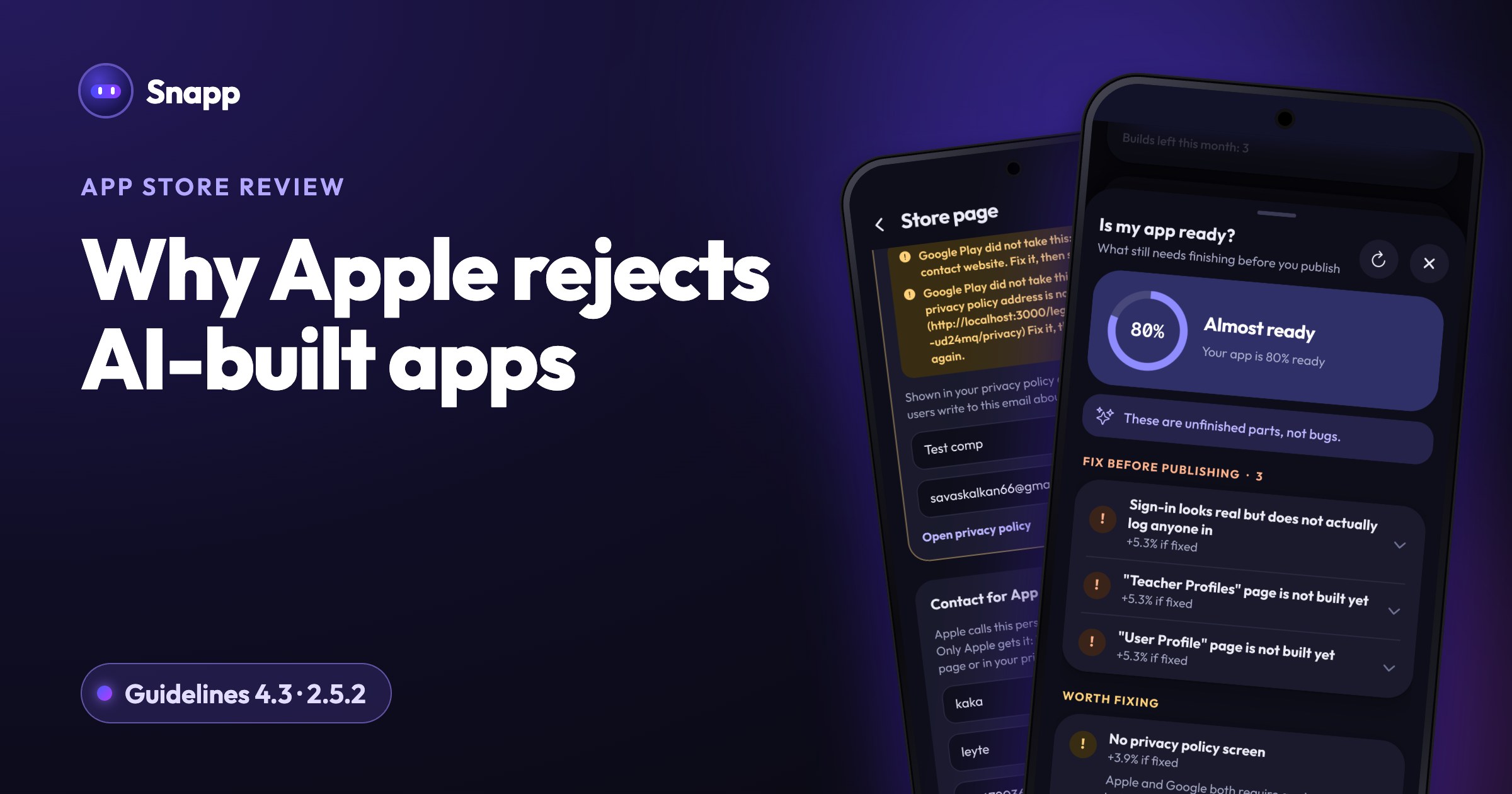
- Is my app ready? reads your app's code and lists planned pages that were never built, buttons with nothing behind them, leftover sample text, and store requirements like the app icon and privacy policy. It warns that apps with unfinished pages are often rejected under minimum functionality. See Is my app ready?.
- The store page step asks for a phone number for App Review and, if your app has a sign in, a demo account. See your store page with Snapp.
- After you release, Snapp follows the review and tells you if the app is Not approved. You read Apple's message in App Store Connect, change what it asks and send again.
- App Review Guidelines (Apple, last updated October 16, 2026)
- Updated App Review Guidelines are now available (Apple, October 16, 2026)
- Updated Apple Developer Program License Agreement and App Review Guidelines (Apple, June 8, 2026)
- App Review (Apple)
Does Apple reject apps made with AI?
Apple's App Review Guidelines do not ban apps because of how they were made. They judge what the app does, how complete it is and how honest it is. The problem is that AI makes it easy to produce apps that are very similar to each other, have half-built screens, or are basically a web page. Those are exactly the things the guidelines below target.
Guideline 4.3: spam, and what changed in June 2026
Guideline 4.3 sits in the Design section of Apple's rules, which is why people search for "4.3 design spam". It has two parts.
How to avoid it: pick a specific audience and a specific job ("a practice timer for my violin students with their weekly pieces"), not a generic one ("a timer app"). Add your own content. Do not submit the same app twice under different names.
Guideline 4.2: minimum functionality
Apple wants "features, content, and UI that elevate it beyond a repackaged website". Apps that are mostly marketing, a collection of links or a web page inside an app shell get rejected under 4.2 and 4.2.2.
Apple also wants every app to be published by the people behind its content (4.2.6). In practice: publish your app in your own developer account, under your own name, with your own content.
Guideline 2.5.2: apps that change themselves
2.5.2 says apps "may not download, install, or execute code which introduces or changes features or functionality of the app, including other apps".
In practice: the app Apple reviews should be the app people get. When you add or change features, send a new version for review instead of switching things on later.
What changed on October 16, 2026?
Other common reasons AI-built apps get rejected
Checklist to get your app approved
What to do if Apple rejects your app
1. Read Apple's message in App Store Connect. It names the guideline.
2. Fix what it asks, or reply in App Store Connect if you think the reviewer misunderstood your app.
3. Submit again. If you still disagree, Apple lets you appeal to the App Review Board, once per rejected submission (Apple).
Where Snapp fits
Snapp builds iPhone and Android apps from a description and can publish them into your own Apple developer account. A few things help with the checklist above:
Approval is always Apple's decision. A specific idea, built completely, gives your app the strongest case in review. For security basics, see the AI-built app security checklist.
Frequently asked questions
Will Apple reject my app because AI built it? The guidelines judge the app, not the tool. AI-built apps get rejected for the same reasons as others: copies, thin apps, unfinished screens, missing privacy details or hidden behavior.
What is "Guideline 4.3(a) design spam"? It is Apple's rule against submitting many versions of the same app, or apps that look like many others. Give your app a specific purpose and audience, and keep variations inside one app.
What is Guideline 2.5.19? A new rule from October 16, 2026: no hidden, dormant or undocumented features. Everything your app does must be visible to users and to App Review. Breaking it can end your developer account.
How long does Apple review take? Apple says it reviews at least half of submissions within 24 hours and 90% within 48 hours. A rejection and resubmission adds another review.
Can I appeal a rejection? Yes. If you believe Apple misunderstood your app, you can submit one appeal per rejected submission to the App Review Board.
Ready to build something specific and complete? Start at snappai.co.
Sources
Last updated: October 2026.
Snapp Team
Articles and content from the SNAPP team