Google Play production access rejected? What "more testing required" means and what to fix
Google reviewed your production access application and wants more testing. Here is what that means according to Google, the usual causes and a checklist to fix before you reapply.
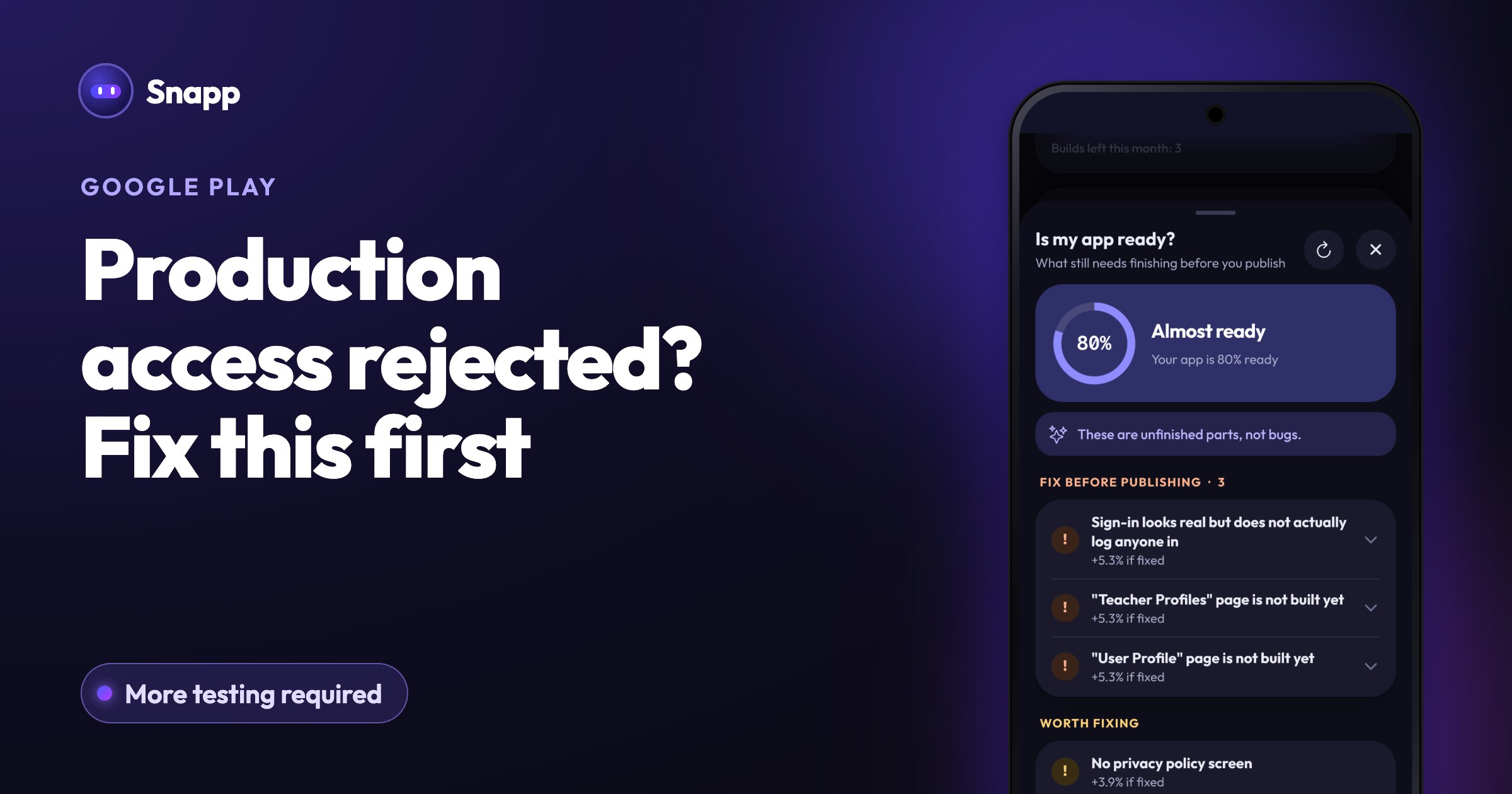
If Google Play rejected your production access, it means Google reviewed the application you sent after your closed test and decided your app needs more testing before it can go public. Google names two reasons on its help page: fewer than 12 opted-in testers, or not enough tester engagement during the test. The fix is to keep the closed test running, solve what caused the refusal, and apply again with better answers.
Key facts
- Who sees this: personal developer accounts created after November 13, 2023, which must pass a closed test before production (Google).
- Google's stated reasons: "having fewer than 12 opted-in testers or insufficient tester engagement during the testing period."
- What Google asks you to do: you "may need to continue running your closed test."
- Review time: Google says the review of an application "usually takes seven days or less, but can occasionally take longer."
- Policy: Google says its review "is not a troubleshooting step." Apps that break policy are rejected.
- Content, features and monetization that follow Google Play policies.
- A target age group and content rating that match your app.
- No crashes, broken features or missing screens.
- Working login details for reviewers, if the app needs a sign in.
- How you found testers (friends, a running club, other developers) and how easy it was.
- What testers did: which features they used, and anything they did differently from what you expected.
- The main feedback, in a few points, and where it came from (email, a group chat, Play Console's Testing feedback page).
- A specific audience: not "everyone", but "members of small running clubs who plan weekly runs", for example.
- What problem the app solves, or what makes your game different.
- A realistic install range for the first year.
- Each change you made because of feedback, for example "fixed a crash on the sign up screen" or "made the start button bigger".
- How you know it is ready: no open crashes, testers completed the main tasks, the last update fixed the reported problems.
- App testing requirements for new personal developer accounts
- Set up an open, closed, or internal test
- Developer Program Policy
The basics of the rule are in Google Play's 12 testers rule in 2026.
What does "more testing required" mean?
After 14 days of closed testing, you applied for production on the Play Console Dashboard and answered three sets of questions: about your closed test, about your app, and about its production readiness. Google read those answers and looked at your test. "More testing required" means Google was not convinced the app was tested enough.
It is not the same as an app rejection for a policy problem. Google's page describes it as a need to keep testing: you continue the closed test, and Production stays locked until a new application is approved.
Community-reported: developers quote the message as "Your app requires more testing to access Google Play production" (or "Your game requires..."). Google's help page does not show the exact wording, so yours may differ.
Why does Google reject production access?
1. Fewer than 12 testers with 14 continuous days
At the moment you apply, at least 12 testers must have been opted in continuously for the preceding 14 days. A tester who left and rejoined starts a new 14 days. People who only joined internal testing do not count: Google says internal testers are not eligible for closed testing until they opt out of the internal test (Google).
2. Testers did not really use the app
Google lists "insufficient tester engagement" as a reason. In the application, it asks whether testers used all available features and whether their use matched how real users will use the app. Testers who installed the app once and never came back do not give you good answers to these questions.
3. Thin answers in the application
Google asks you to summarize the feedback, describe how you collected it, list what you changed and explain how you decided the app was ready. One line answers leave Google little to go on. Community-reported: some developers say short or generic answers are a common reason for refusal. Google does not publish a minimum length.
4. The app itself is not ready
Before you apply, Google asks you to check these areas (Google):
What to fix before you apply again
| Problem | What to do |
|---|---|
| Fewer than 12 testers counted | Invite more people (aim for 15 to 20). Make sure they joined the closed test, not only internal testing. |
| Testers left during the test | Ask everyone to stay in for 14 days. Wait until 12 or more have 14 continuous days again. |
| Low engagement | Send testers a short list of things to try every few days. Ask for feedback by email or in a group chat. |
| No changes made | Fix what testers reported and release an update in the closed test, so you can say what changed. |
| Vague answers | Rewrite them with specifics (see below). |
| Crashes or broken screens | Fix them first. Google says review is not a troubleshooting step. |
| Sign in blocks reviewers | Add working demo login details in Play Console. |
How to write better answers
You do not need perfect English. You need facts from your own test. For each part, here is what to include:
About your closed test
About your app/game
About your production readiness
Write only what really happened. Google uses these answers to judge your test, and they should match what it sees.
How long until you can apply again?
Google does not give a waiting time on its help page. It says you may need to continue running your closed test. The requirement itself does not change: when you apply, 12 or more testers need 14 continuous days in the test.
Community-reported: some developers say they reapplied after running the test for about 14 more days. Treat that as a rough guide, not a rule.
Where Snapp fits
Snapp publishes your app into your own Play Console account. It tells you when Google asks for the closed test, and after you fix things in your app, you can build again and send a new version. The closed test, the testers and the production access application stay in your hands: Snapp does not recruit testers or answer the application for you. For the full publishing flow, see How to publish an app on Google Play.
Frequently asked questions
Is my developer account in trouble? Google's help page describes "more testing required" as a need to continue testing, not as a penalty. Policy violations are a separate matter with their own notices.
Do I need to start a new closed test? Google's page says you may need to continue running your closed test. Keep the same test going and keep your testers in it.
Can I appeal the decision? Google's testing page does not describe an appeal for production access. The path it gives is more testing and a new application.
Would an organization account avoid this? Google's testing requirement covers personal accounts created after November 13, 2023. An organization account needs a real organization and a D-U-N-S number. See Individual or organization developer account?.
How long does the second review take? Google says production access reviews usually take seven days or less, sometimes longer.
Build and publish your Android app with Snapp.
Sources
Last updated: October 2026.
Snapp Team
Articles and content from the SNAPP team