Individual or organization developer account? Google Play and Apple, D-U-N-S explained
Both stores let you publish as yourself or as a company. Here is what each account type needs, what it shows on your store page, how the D-U-N-S number works and which one to pick.
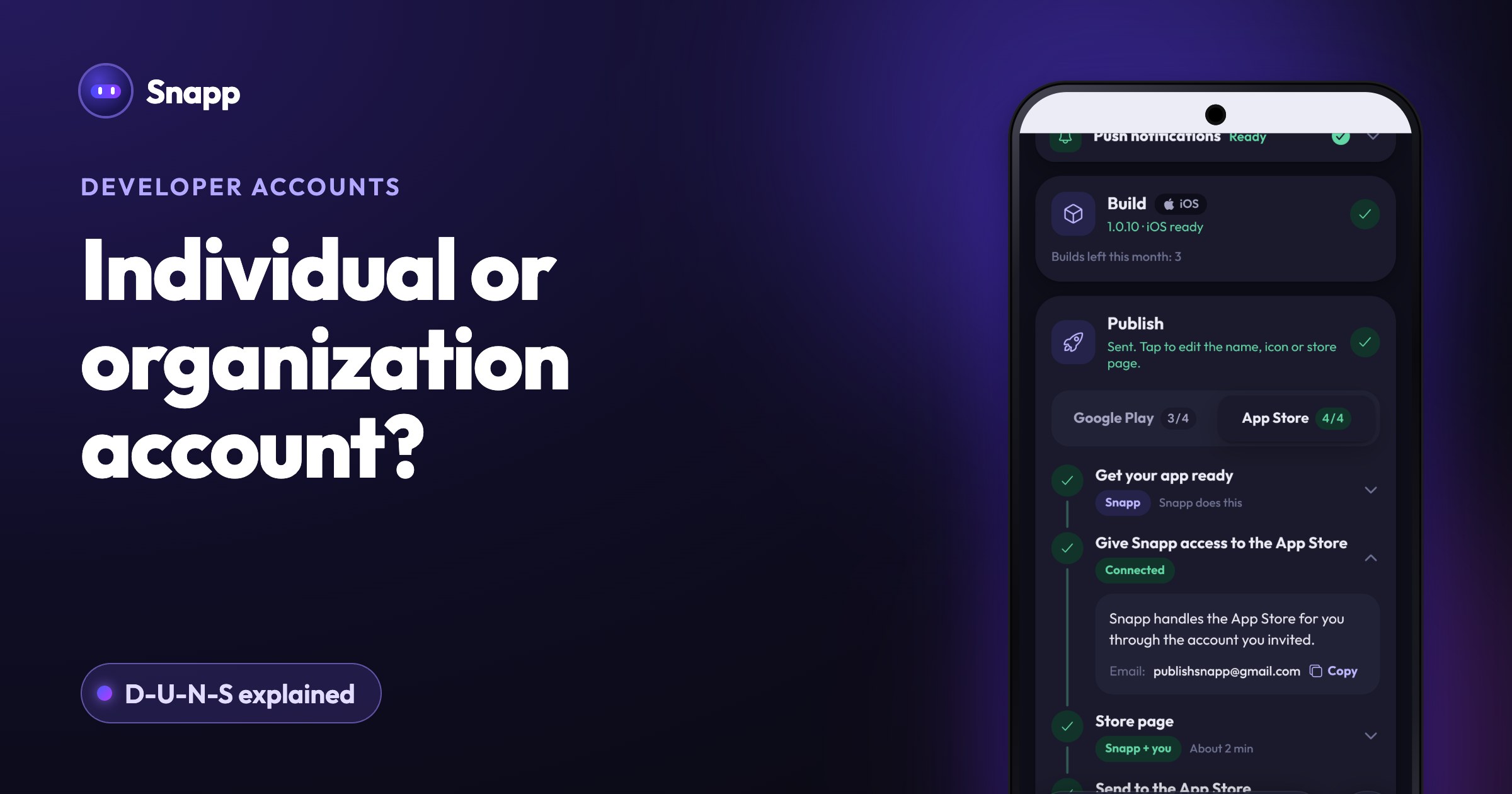
Choose an individual (Google calls it personal) developer account if you publish under your own name, and an organization account if you have a registered company or other legal entity and want its name on the store. On both Google Play and the App Store, an organization account needs a D-U-N-S number, a free nine digit business ID. On Google Play there is one more difference: new personal accounts must run a 14 day closed test with 12 testers before an app can go public, and organization accounts are not covered by that rule.
Key facts
- Fees are the same for both types: Google Play 25 USD once, Apple 99 USD a year (as of October 2026) (Google, Apple).
- D-U-N-S: required for organization accounts on both stores, except government bodies. It is free from Dun & Bradstreet.
- Google's 12 testers rule: applies to personal accounts created after November 13, 2023 (Google).
- Apple and sole traders: Apple says a sole proprietor or single person business must enroll as an individual (Apple).
- Switching: both stores let you move from individual to organization later, not the other way at Google.
- Personal: for personal use, "a student, hobbyist, or amateur developer." You can still earn money and invite others to your account.
- Organization: for "an organization or business", for example commercial, professional or governmental activity.
- Individual: your personal legal name is shown as the seller. Do not enter a nickname or company name in the name fields: Apple says that delays approval. Sole proprietors and single person businesses must enroll as individuals.
- Organization: your legal entity name is shown as the seller, for example "Seller: ABC Company, Inc." You need a D-U-N-S number, a legal entity (Apple does not accept DBAs, trade names or branches), the legal authority to sign for the organization, a work email on the organization's domain, and a public website for the organization (Apple).
- It is free. Google warns about third party services that charge "high administrative fees" for this free registration.
- Check first. Many organizations already have one. Search Dun & Bradstreet, or use Apple's D-U-N-S lookup during enrollment.
- Time: Google says getting a new one can take up to 30 days. Apple says to allow up to 5 business days to receive it when you request it through Apple, then up to 2 business days before Apple can use it (Apple).
- Match the details. On Google Play, the legal name and address in your payments profile must match your Dun & Bradstreet profile.
- You do not have a registered company.
- You are a sole trader (on Apple this is the only option).
- You want to start fast and do not mind your own name on the store.
- You have a registered company or legal entity and want its name on the store.
- Your app is in finance, health, VPN or government on Google Play.
- You want to avoid Google's closed test rule and you already qualify as an organization.
- Google Play: the same for both types. If Google asks your personal account for a closed test, Snapp tells you when you tap Make it public on Google Play. Snapp does not recruit testers.
- App Store, organization: invite Snapp and paste the Issuer ID. You never make or download a key.
- App Store, individual: one extra step. Apple lets only you make the key that uploads apps, so you make one in App Store Connect and tap Upload the key file in Snapp.
- Choose a developer account type (Google)
- Required information to create a Play Console developer account (Google)
- Update developer identity details, convert a personal account (Google)
- App testing requirements for new personal developer accounts (Google)
- Device verification requirements (Google)
- Enrollment (Apple)
- Apple Developer Program enrollment requirements (Apple)
- D-U-N-S Number (Apple)
- Updating your account information (Apple)
Individual vs organization at a glance
| Google Play personal | Google Play organization | Apple individual | Apple organization | |
|---|---|---|---|---|
| Fee | 25 USD once | 25 USD once | 99 USD a year | 99 USD a year |
| D-U-N-S number | No | Yes | No | Yes (not for government) |
| Name on the store | Your developer name, plus your legal name | Your developer name, plus your organization's legal name | Your legal name as seller | Your organization's legal name as seller |
| Shown publicly | Legal name, country, developer email (full address if you sell) | Legal name, legal address, developer email and phone | Your name as seller | Organization name as seller |
| Other requirements | Android device check for new accounts | Organization website, phone | Legal age, legal name | Legal entity, authority to sign, work email on your domain, public website |
| 12 testers closed test | Yes, for accounts created after November 13, 2023 | Not covered | No such rule | No such rule |
Google Play: personal or organization?
Google says both types have the same features and can both earn money through a payments profile. The difference is who you are:
Google says you should choose an organization account if your app offers financial products and services, is a health app (such as medical apps), uses the VPN service, or is a government app (Google).
What you provide also differs. A personal account gives a legal name and address from its Google payments profile, plus contact details. An organization account gives its D-U-N-S number, organization name, address, phone and website, and Google shows the legal name, address, email and phone on Google Play (Google).
New personal accounts also have to verify a real Android device (Android 10 or later) with the Play Console app (Google), and run the closed test. More on that in Google Play's 12 testers rule in 2026.
Apple: individual or organization?
Apple's rules are simpler:
Apple has no closed test rule like Google's. Both types pay the same yearly fee, and eligible nonprofits, accredited schools and government entities can ask for a fee waiver.
What is a D-U-N-S number and how do you get one?
A D-U-N-S number is a unique nine digit number that Dun & Bradstreet assigns to identify businesses. Both stores use it to check that your organization is real.
If Dun & Bradstreet does not cover your country, Google lets you contact its support before you create the account for another way to verify.
Which one should you pick?
Pick individual if:
Pick organization if:
Do not create a company only to skip the 12 testers. Getting a D-U-N-S number and verifying an organization takes time too, and the closed test usually helps your app.
Can you switch later?
Google Play: yes, from personal to organization. In Play Console, go to Developer account, then About you, verify your organization's website and click Change account type. You need an organization payments profile with a D-U-N-S number. Google asks you to wait at least 72 hours after the change before you submit new apps. You cannot change an organization account back to personal (Google). Google's testing page does not say whether a converted account still needs the closed test, so check your Play Console Dashboard.
Apple: yes. Submit a request to update your membership from individual to organization. Apple says you must be the founder or cofounder and give the D-U-N-S number, and it may ask for business documents (Apple).
How Snapp works with each account type
Snapp publishes into your own account, whichever type it is. You invite Snapp once and it does the store work: the store page, the forms, the build, the upload and following the review.
Account setup guides: How to create a Google Play developer account and How to create an Apple Developer account.
Frequently asked questions
Do I need a company to publish an app? No. Both stores accept individuals. You publish under your own name.
Does an organization account cost more? No. The store fees are the same: 25 USD once for Google Play, 99 USD a year for Apple. The D-U-N-S number is free.
Can I use my trade name on Apple as an individual? No. Apple shows your legal name as the seller for individual accounts and asks you not to enter a company name in the name fields.
Is a D-U-N-S number the same as a tax number? No. It is a business ID from Dun & Bradstreet, used by both stores to verify organizations.
Which is faster to set up? Usually individual, because there is no D-U-N-S number or company check. On Google Play, remember the closed test that new personal accounts must run before going public.
Ready to publish? Build your app at snappai.co.
Sources
Last updated: October 2026.
Snapp Team
Articles and content from the SNAPP team